
Encryption at rest and in transit
Protects disks, backups and the network. But it decrypts at the database connection, so your application, and every agent it serves, receives plaintext. Encryption that ends at the connection is not a control.
Ascent decides, on every request, what each agent gets back (redacted, anonymized, or the real value) and cuts off an agent that reaches too far before the data leaves. Self-hosted, on your keys, with proof for the auditor.
Ready to try it on your own instance? Request a trial.
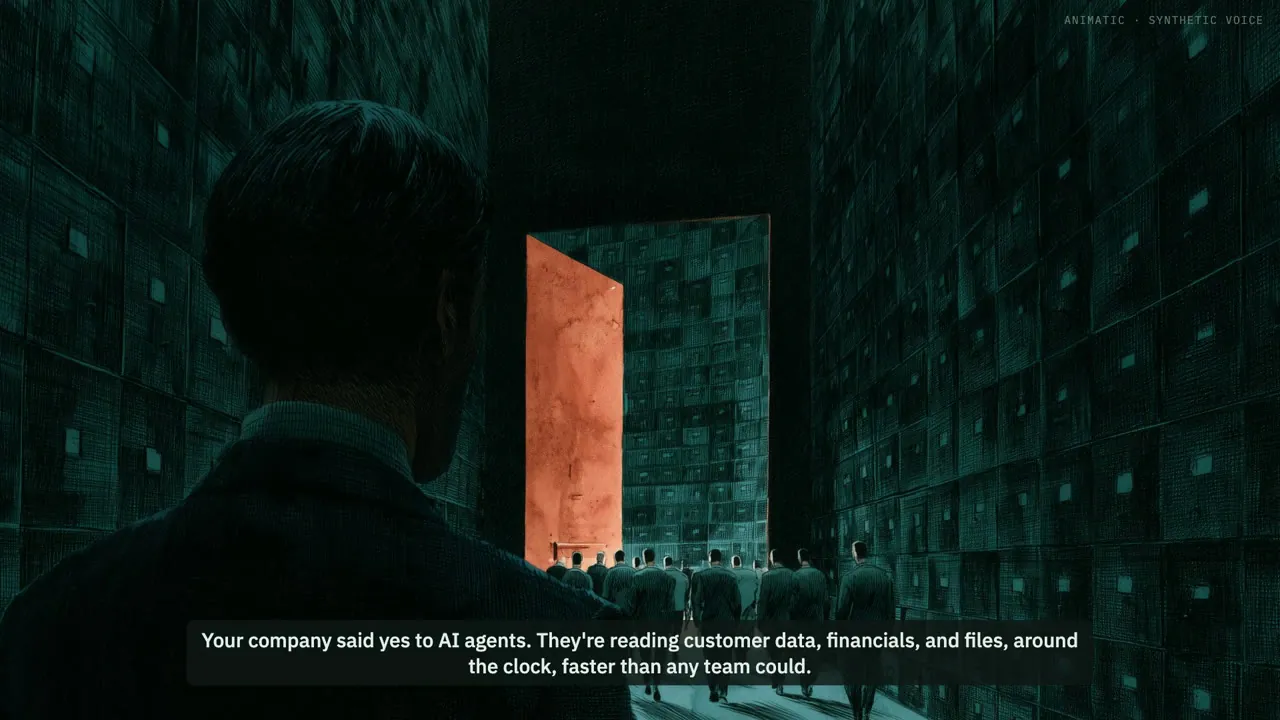
Your company said yes to AI agents. They're reading customer data, financials, and files, around the clock, faster than any team could.
Three questions nobody in the building can reliably answer.
How much can these agents reach?
What stops a rogue agent, or an employee intentionally or unintentionally misusing one?
What is the blast radius if something does go wrong, and how would you prove what happened?
Ascent: the data control plane between your agents and your data. An AI data firewall.
Agents get what the task needs. The rest stays out of reach.
See every agent's blast radius before it acts. Shut down a rogue one in the moment.
Answer the auditor in minutes, with every decision on the record as verifiable proof.
Know what they can reach. Stop what they shouldn't. Prove it.
Ascent. A modern data control plane so you can control what AI can see and do.
Most teams can't, yet. The access was granted in a hurry to get a prototype working; now someone has to sign off on it, and the answers aren't in any tool you already run.
Usually the agent runs on a shared credential with production read access. Ask what that credential can reach, and the honest answer is “everything”.
Your security stack was built for other threats. None of it decides what an agent gets back when it asks.
Protects disks, backups and the network. But it decrypts at the database connection, so your application, and every agent it serves, receives plaintext. Encryption that ends at the connection is not a control.
Decide who can reach the database. Once reach is granted, the agent gets the whole row. They can't say “the last four digits, from the office network, in working hours”.
Prompt rules ask the model to behave, and a model can ignore them or be talked out of them. Scanners catch a leak after the data has left.
Ascent moves the decision from ‘can this caller reach the data?’ to ‘what comes back?’ And it makes that decision before the data reaches the AI model, so no prompt can talk its way past it.
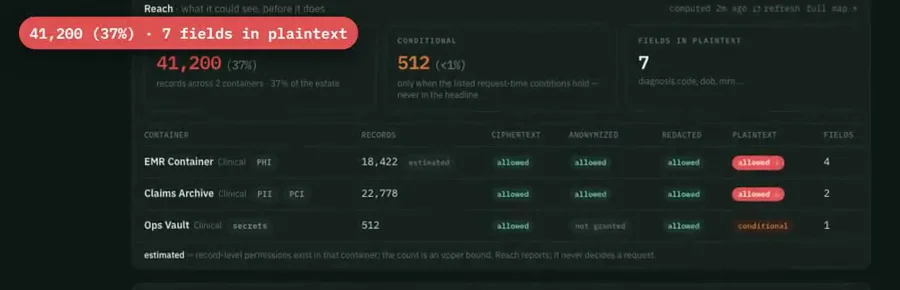
Before you approve an agent, see what it could read: which records, how many, and which fields would come back decrypted. Rehearse a role change and see the difference before you make it.
 Open full size
Stopped in the moment. Not reported in the morning.
Each agent gets its own identity, never a shared login, and connects read-only and redacted until someone grants more.
Same agent, same request. The answer changes with the circumstances.
The record comes back decrypted, and the decision is on the record.
Refused, or answered in a safer view. That decision is on the record too.
A guardrail is one sentence an administrator writes once, such as “only agents from approved AI vendors ever read this data”. No role, exception or approval overrides it.
When someone needs one record this afternoon, grant exactly that: these records, this kind of read, for this long, this many times, for this reason. A grant never overrides a deny rule, and it expires on its own.
at first
Reads look normal
The agent is allowed to read these records. Nothing is wrong yet.
the limit
Too much, too fast
Thirty records in a minute from one agent. That is data being pulled out, not a task being done.
what happens
The data is locked
Nothing more comes in or goes out.
what happens
The agent is cut off
It can't reach any data until a person lets it back in.
result
That read never happens
The request that set it off is refused. No data leaves.
No black box. Every alert shows the rule that fired and the records behind it, so anyone can check the arithmetic.
An automatic response, as an engineer sets it up:
Contain first, alert second: a dead alert channel costs you the alert, never the lock. Test a response against sample data before you arm it, and choose whether a failed response fails open or closed.
Detection is rules with written-down thresholds, compared against each agent’s own history; there is no model to trust. The approved-vendor guardrail identifies the vendor by what an administrator declares on the agent’s identity, not by cryptographic proof of which model is calling.
When the auditor asks what an agent saw, export a signed evidence report for that agent and period: who asked, what came back, which rule decided and why. Anyone can verify it independently, and it contains no sensitive values.
Audit records are chained so that tampering shows, and the report includes the chain proof, stating how many records predate the chain. Request values are never logged, only field names and the request’s length.
In production, Ascent runs inside your environment, single-tenant or a database per customer, on keys Ascent manages or your own. That puts it within reach where cloud products are ruled out: regulated and sovereign workloads.
The containment lab simulates Ascent on synthetic data, with nothing to install and no sign-up. Four agents work on one set of company data: see what each gets back redacted, what is refused and why, and watch a runaway agent get cut off mid-request.
Try the labsHands-on, synthetic data, no sign-up.
Lock the data and cut the agent off before the read that crossed the line returns.
One company-wide rule names the AI vendors you trust. Nothing overrides it.
Real values stay a separate permission, and the auditor gets a signed evidence report.
Agents work on redacted or anonymized data. Real values are granted, never assumed.
Trial instances run on Ascent's infrastructure, set up for you alone. Use test or sample data; in production, Ascent runs in your own environment.
Yes, if policy grants it. Your keys protect the stored data; policy decides what each caller gets back.
Nothing. Ascent runs in your environment, and the policy-writing assistant works on metadata only, using a model you choose.